
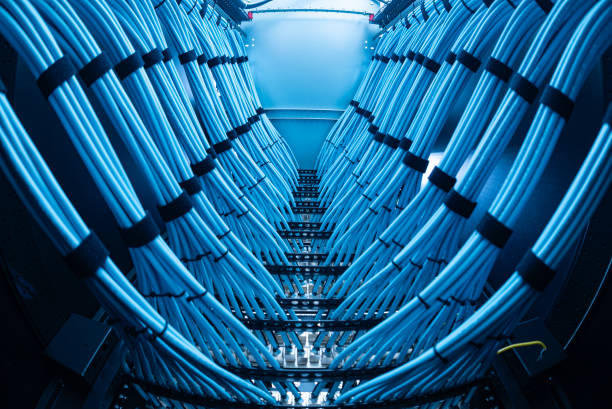
Server Room Build-Out Deliverables
- As-built floor plan with rack positions, cable pathways, and entry points
- Rack elevation drawings — unit-by-unit layout for every rack
- Cable schedule — every run with ID, type, length, and both endpoints
- Port map — patch panel port to device or outlet, for every run
- TIA-568.2-D Level IV certification reports for all copper runs
- Bidirectional OTDR trace reports for all fiber strands
- Photo documentation — racks, panels, pathways, complete room
- Manufacturer warranty registration for cable and hardware
| Project Scale | Rack Count | Typical Scope | Typical Timeline |
| IDF Closet | 1–2 racks | Cable tray, Cat6A drops, patch panel, fiber uplink, rack, grounding | 1–2 days |
| Small Server Room | 3–5 racks | Full build-out: design, pathways, copper, fiber backbone, racks, grounding | 3–5 days |
| Mid-Size Server Room | 6–12 racks | Complete infrastructure project with structured cabling, fiber, PDU mounting, full docs | 1–2 weeks |
| Large Server Room | 13–30+ racks | Enterprise-grade build-out with TIA-942 topology, hot/cold aisle, overhead pathways | 2–4 weeks |
Data Center Cabling Deliverables
- As-built data center floor plan — rack locations, pathways, distribution frames
- Cable schedule — every run, end-to-end connectivity, label IDs
- TIA-568.2-D certification reports for all copper runs
- Bidirectional OTDR trace reports for all fiber strands
- Overhead pathway as-builts — plan view and section
- Photo documentation — every pathway, rack, and panel
- Facility cross-connect records (for colo facilities)
| Standard | Scope | Why It Matters |
| ANSI/TIA-942-B | Data center infrastructure and tier definitions | Defines MDA/HDA/EDA topology, pathway requirements, and tiered availability |
| ANSI/TIA-568.2-D | Copper cabling performance testing | Required for Cat6A certification — every copper run in a data center |
| ANSI/TIA-568.3-D | Fiber optic cabling performance testing | Required for single-mode and multimode fiber certification |
| ANSI/TIA-569-D | Pathways and spaces | Cable tray sizing, fill ratios, bend radius, support spacing |
| ANSI/TIA-607-B | Grounding and bonding | TGB installation, rack bonding, bonding conductor routing |
| NEC Articles 250 & 800 | Electrical safety and communications | Grounding requirements and plenum-rated cable requirements |
Colocation Build-Out Deliverables
- Cage floor plan as-built with rack positions and overhead pathway routing
- Rack elevation drawings for every cabinet in the cage
- Cable schedule — every run within cage and to MMR
- Facility cross-connect records for all MMR terminations
- TIA-568.2-D certification reports for all copper runs
- Bidirectional OTDR traces for all fiber strands
- Photo documentation of cage, racks, overhead pathways, and MMR connections
Fiber & Backbone Deliverables
- Fiber backbone routing drawing showing every run, pathway, and termination point
- Cable schedule — every fiber cable with strand count, type, and both endpoints
- Bidirectional OTDR trace reports for every strand (A-to-B and B-to-A)
- Insertion loss measurements for every connection
- Splice performance data where fusion splicing was performed
- Fiber panel labelling documentation — panel, adapter position, and strand ID
- Photo documentation of fiber panels, splice enclosures, and pathway routing
| Fiber Type | Core/Clad | 10G Distance | 100G Distance | Best For |
| OM3 Multimode | 50/125 µm | 300m | 100m | Legacy — reuse only, not for new installs |
| OM4 Multimode | 50/125 µm | 400m | 150m | Intra-building backbone in SF commercial buildings |
| OM5 Multimode | 50/125 µm | 400m | 150m+ | Wideband multimode — future WDM applications |
| OS2 Single-Mode | 9/125 µm | 10,000m | 10,000m+ | Long runs, campus, inter-building, future-proof |
Server Room & Data Center Cabling Across the San Francisco Bay Area
Our crews are SF Bay Area-based and serve the entire region. No travel surcharges within the Bay Area.
- Financial District
- SoMa (South of Market)
- Mission District
- Union Square
- Civic Center
- Chinatown
- North Beach
- Embarcadero
- Nob Hill
- Hayes Valley
- Oakland
- Berkeley
- South San Francisco
- San Mateo
- Palo Alto
- Redwood City
- San Jose
- Fremont
- Hayward
- Walnut Creek
Server Room & Data Center Cabling FAQ — San Francisco
How much does a server room build-out cost in San Francisco?
Server room build-out costs in San Francisco vary significantly based on scope. As a rough guide: a single-rack IDF closet with cable tray, Cat6A drops, patch panel, fiber uplink, and grounding typically runs $2,500–$5,000. A 3–5 rack server room complete build-out (cable tray, copper, fiber backbone, racks, patch panels, grounding) typically runs $12,000–$28,000. A 10–20 rack enterprise server room build-out typically runs $35,000–$90,000+.
Variables that significantly affect San Francisco pricing include: whether the room already exists or requires buildout, the scope of cable tray and pathway work, number of Cat6A drops, fiber strand count, documentation level required, seismic anchoring requirements, and whether after-hours access is required for an occupied building. We provide fixed-price quotes after a free site survey — so you know the exact cost before any work begins.
What is the difference between an MDF and an IDF?
The MDF (Main Distribution Frame) is the central point of your building’s telecommunications infrastructure — typically located in the main server room or main telecom room. This is where your ISP connection enters the building, where the fiber backbone originates, where your core network switches and routers live, and where the building’s main patch panels are located.
The IDF (Intermediate Distribution Frame) is a satellite telecom room on each floor or zone of the building, connected back to the MDF via the building’s fiber backbone. The IDF contains the floor switches, the patch panels serving that floor’s structured cabling drops, and any floor-level network equipment. A typical multi-floor San Francisco office building has one MDF and one IDF per floor, connected by riser fiber. In TIA-942-B terminology applied to buildings, the MDF corresponds to the MDA and each IDF corresponds to an HDA.
Do racks need to be seismically anchored in San Francisco server rooms?
In most cases, yes — or at minimum it’s strongly advisable. San Francisco is in Seismic Design Category D under the California Building Code, which references ASCE 7 for nonstructural component requirements. Many commercial building leases in San Francisco explicitly require seismic anchoring for heavy equipment, and many building management companies and insurance policies require it for server room equipment.
Seismic anchoring for server rooms typically means floor-anchor kits for open-frame racks bolted to concrete slab (or raised floor anchoring systems for raised-floor environments), four-post bracing kits for free-standing enclosed cabinets, and seismic bracing straps or cross-bracing for overhead cable tray systems. We assess the specific anchoring requirements during the site visit, recommend the appropriate hardware, and include it in the project scope. If your building management or lease requires a seismic compliance statement, we document the anchoring installation.
Can you work in our occupied San Francisco office building?
Yes. The majority of our San Francisco server room and data center projects take place in occupied buildings. Server room build-outs in occupied buildings require coordination with building management for after-hours riser access, fire-rated penetration permits, COI requirements, and construction access procedures — all of which we manage as part of the project scope.
For active server rooms where we’re expanding or upgrading existing infrastructure, we plan the work carefully to avoid taking down systems that are in production. This often means sequencing the installation so new infrastructure is complete and tested before old infrastructure is decommissioned, working during maintenance windows, and coordinating power-off periods with the IT team. We’ve built and upgraded server rooms in occupied Financial District high-rises, SoMa tech campuses, and South Bay production facilities without a single unplanned outage.
What is TIA-942 and does my server room need to comply?
ANSI/TIA-942-B is the telecommunications infrastructure standard for data centers. It defines four availability tiers (Tier I through Tier IV), specifies the cabling topology using the MDA/HDA/ZDA/EDA zone architecture, and provides requirements for pathways, spaces, grounding, and environmental systems. Formal tier certification requires third-party audit and is typically required only for purpose-built colocation and enterprise data center facilities.
For most San Francisco commercial server rooms, formal TIA-942 tier certification is not contractually required — but following TIA-942 topology principles produces better-organised, more scalable, and more maintainable infrastructure. We design all server room and data center projects to TIA-942 topology by default, because the result is better regardless of whether certification is required. If your facility, lease, or compliance framework requires formal TIA-942 certification, that’s a separate process involving a third-party auditor — we can advise on what’s required and ensure our installation meets the physical infrastructure requirements.
Do you install power distribution in server rooms?
We install PDU (Power Distribution Unit) mounting hardware within racks and mount PDUs as part of the rack installation scope. We do not perform electrical circuit work — running conduit, pulling electrical wire, installing breaker panels, or making connections to the building’s electrical distribution system. This work requires a California C-10 Electrical Contractor license, which we do not hold.
For server room build-outs that require new electrical circuits to feed PDUs, we coordinate with a C-10 licensed electrical contractor — either one you provide or one we work with regularly in the San Francisco Bay Area. We sequence our cabling work around the electrical contractor’s schedule to ensure the project timeline stays on track. We’ve coordinated hundreds of server room projects with electrical contractors across the Bay Area.
How long does a server room build-out take in San Francisco?
Timeline depends heavily on scope and building access. As a rough guide: a single-rack IDF installation typically takes 1 day. A 3–5 rack server room build-out typically takes 3–5 days. A 10–20 rack server room build-out typically takes 1.5–3 weeks for the cabling scope, not including the electrical contractor’s work for circuits.
In San Francisco, building access coordination — particularly in Financial District and SoMa high-rises — can significantly affect the schedule. After-hours riser access, fire-rated penetration permits, and building management approval processes for occupied buildings add lead time that needs to be built into the project timeline. We assess building-specific access constraints during the site visit and build realistic timelines that account for the realities of SF commercial building management.
Should I use OM4 or OS2 fiber for my San Francisco server room backbone?
For most San Francisco commercial office buildings, OM4 multimode fiber is the right choice for MDF-to-IDF backbone cabling. OM4 supports 10GBASE-SR to 400m and 25G/40G/100G at shorter distances — more than sufficient for intra-building backbone runs in buildings where the longest riser run is typically under 100m. OM4 transceivers (850nm VCSEL) are significantly less expensive than OS2 single-mode transceivers, which matters when you have 10–20 switch ports to equip.
OS2 single-mode fiber is the right choice for: campus environments with runs over 300m, inter-building connections, and future-proofed installations where the cost of single-mode transceivers is acceptable in exchange for essentially unlimited distance capability. Some SF businesses also choose OS2 for new installations specifically to never have to replace the fiber regardless of what network speeds or distances the future requires. We advise on the right fiber type for your specific SF building during the design phase — there’s no universal answer, but there is a right answer for your situation.